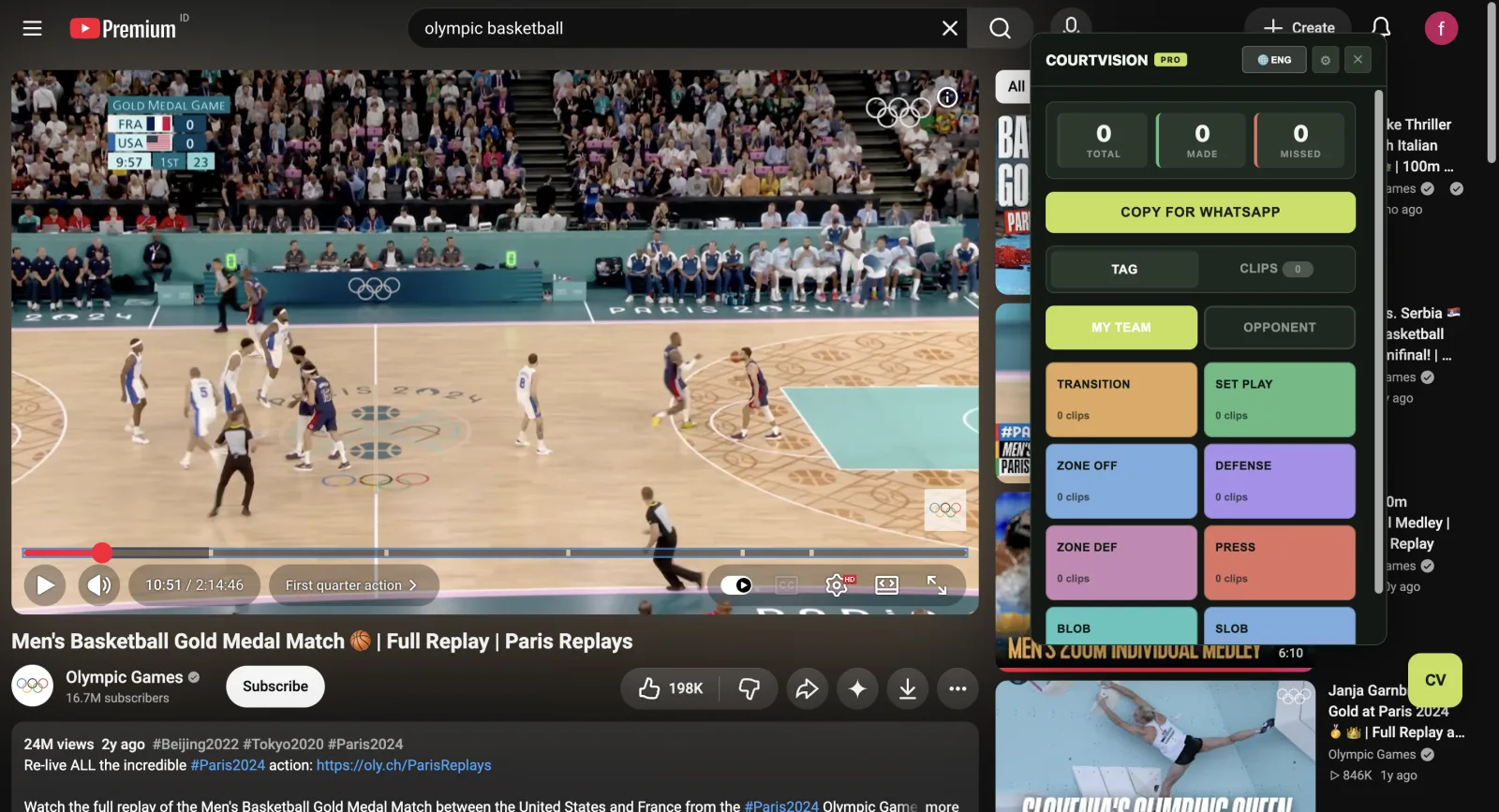
Tag key moments directly from YouTube, review every clip, and share one clear report with your coaching staff.
Chrome desktop extension for Windows, Mac, and Linux
Tag while watching, then review, back up, and share without leaving the CourtVision workspace.
Two short demonstrations show the complete workflow: tag the moment, then review and refine the clip.
Chrome requires one installation confirmation. CourtVision handles the rest of the onboarding clearly.
Free to install · 7-day Pro trial · One Chrome confirmation
Professional-grade analysis tools designed for coaches at every level
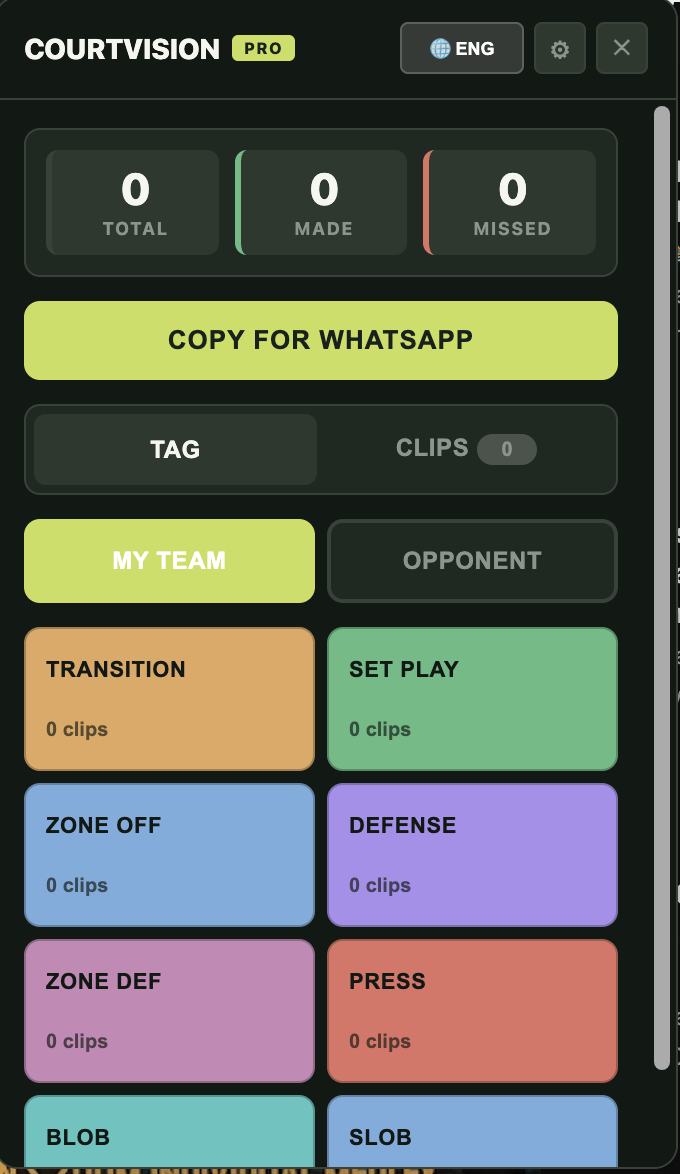
Tag transition, set plays, defense, BLOB, SLOB and more with a single click. Keyboard shortcuts (Ctrl+1-9) for even faster tagging.
Track made/missed for every play. See success rates by play type, team, or game to identify what's working.
Create unlimited custom play categories. Rename teams, change colors, drag & drop to reorder — organize plays your way.
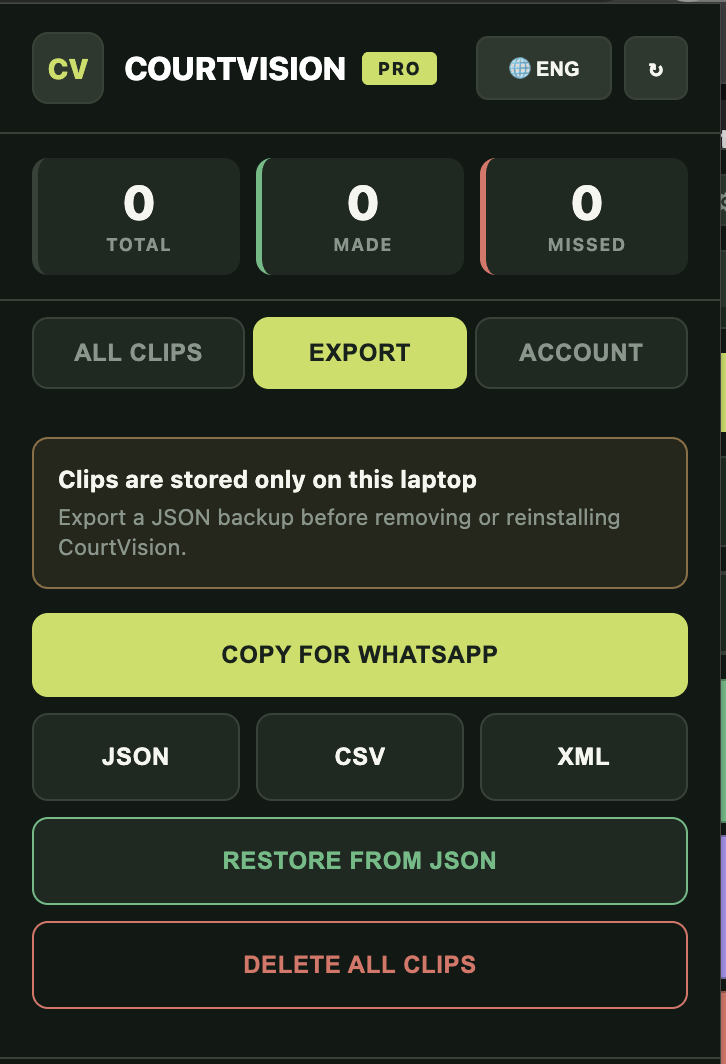
Share game analysis instantly with your team via WhatsApp. Formatted summaries with clickable YouTube timestamps.
Review clips with automatic playback control. Video stops at the exact end of each clip — no manual pausing needed.
Export all your data in JSON, CSV, or XML format. Import it into spreadsheets, databases, or compatible analysis tools.
CourtVision Mobile is being prepared as a PWA for coaches who want to tag YouTube game film from a phone. It is not yet an official public release. When launched, the same paid Google account will connect Pro access across Mobile and Extension.
Basketball video-analysis software for coaches and analysts. Start with 7 days free, then choose 30 or 365 days of access.
One CourtVision Pro account for Mobile and Chrome Extension
30 days of CourtVision Pro access
365 days of CourtVision Pro access (Save 33%)
One payment activates CourtVision Pro on Mobile and Chrome Extension when both use the same Google account. Chrome Extension is available now; Mobile access begins when it is officially released. Payments are securely processed by Duitku.
No payment is required for the 7-day trial. Paid access starts after a successful payment.
Indonesian payments are securely processed by Duitku
Not yet. CourtVision Mobile is being prepared and will be announced when it is ready for public use. The Chrome Extension is available now.
Yes. Use the same paid Google account. Extension works now, and Mobile access will be included when the official Mobile release is available.
You get 7 days of full access to all CourtVision Pro features. No payment is required to start. After the trial, choose monthly access (Rp130,000) or yearly access (Rp1,040,000).
Choose 30 or 365 days of paid access to continue using Pro features. Your local clips and settings stay on your laptop.
QRIS and other active Indonesian payment channels are displayed securely on the Duitku checkout page.
Duitku purchases provide access for the selected 30-day or 365-day period and are not charged automatically again. You may buy another period when it ends.
Yes! CourtVision works with any YouTube video — professional games, amateur footage, practice sessions, or game film your team recorded.
Extension clips and settings stay locally on the device. Limited account, license, device, payment-status, and shared-report records are processed when needed to provide CourtVision services.
Join coaches who are using CourtVision to analyze games faster and more effectively.
Try Free on Chrome Web StoreFree to install • Pro access Rp130,000/month